Migrating From Analog to VoIP: A 2026 Guide to IP Phones
Switching your business from ageing analog lines to modern IP phones is one of the highest-return upgrades you can make in 2026. The migration sounds intimidating, but with the right plan it is smooth, low-risk, and usually cheaper than the copper lines it replaces. This guide breaks the move down into clear stages so you know exactly what to expect before, during, and after cutover.
Across the projects we have delivered, the businesses that migrate successfully all share one habit: they treat the switch as a project with milestones, not a single dramatic weekend. Below is the same framework we use on real deployments.
Why Analog Lines Are Reaching the End of the Road
Legacy analog and ISDN services are being wound down worldwide as carriers retire the old copper network. Even where they remain, they carry real disadvantages compared with an IP phone system:
- Fixed channel counts that force expensive line rentals as you grow.
- Per-minute billing that punishes high call volumes.
- No built-in features — voicemail, queues, and reporting cost extra.
- Zero mobility; a line is chained to one physical socket.
By contrast, VoIP carries voice as data over your internet link using SIP trunks, so adding capacity is a configuration change rather than a new cable. That flexibility is the core reason the migration is worth the effort.
What You Need Before You Migrate
A clean migration starts with an honest audit of what you have. Walk the office and note every phone, every line, and every feature staff actually rely on. Then confirm the four essentials of any modern deployment.
| Component | Purpose | Rule of thumb |
|---|---|---|
| Internet link | Carries all voice traffic | ~100 kbps per concurrent call |
| SIP trunk / provider | Connects you to the phone network | Channels ≥ your busy-hour calls |
| IP PBX | Routes and manages calls | Cloud for simplicity, on-prem for control |
| PoE switch + handsets | Powers and connects phones | One PoE port per desk phone |
Getting these four aligned before cutover day is what separates a painless migration from a scramble.
The Migration Process Step by Step
We break every migration into five stages so nothing gets missed and the business keeps running throughout.
- Design. Map extensions, call flows, and the auto-attendant menu you want callers to hear.
- Provision. Configure the PBX, create SIP accounts, and stage the handsets with provisioning templates.
- Parallel run. Keep the old lines active while the new system is tested internally.
- Port numbers. Move your existing numbers to the SIP provider — the only step with a hard cutover.
- Cutover and support. Redirect inbound calls, train staff, and monitor the first days closely.
The parallel-run stage is the safety net. Because the new phones can be live and tested days before you port a single number, there is no moment where the office is without a working phone.
During the design stage, take the time to document how calls actually move through your business today. Who answers first? Where do overflow calls go? What should happen after hours? These decisions feel small, but they define the caller experience once you cut over. Mapping them now means the new PBX behaves exactly as your team expects on day one, rather than surprising staff with unfamiliar routing during a busy morning.
Choosing the Right Handsets for the Switch
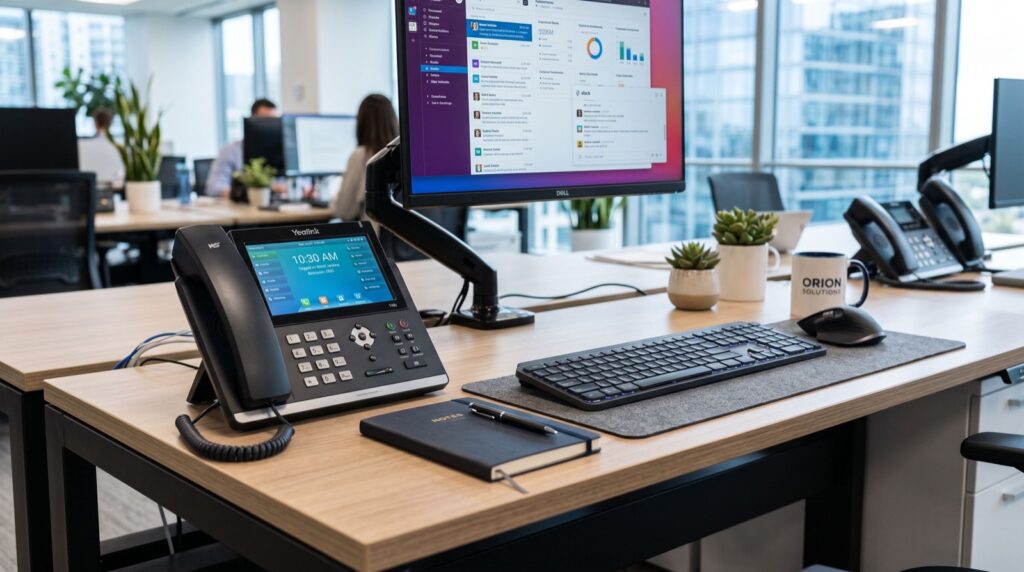
Handset selection shapes how staff feel about the whole migration, so match the phone to the role. Reception and heavy call handlers benefit from colour screens and programmable keys, while general staff are well served by a dependable entry model such as the Fanvil V50P Basic Level IP Phone, which offers HD audio, PoE, and dual Gigabit ports without overspending.
When you standardise on quality SIP handsets and modern IP Phone / IP Phones across the office, provisioning, firmware updates, and warranty handling all become far simpler because one process covers the entire fleet.
Protecting Call Quality and Security
Two things make or break a VoIP deployment: network quality and security. Handle both up front and the system simply works.
- Separate voice onto its own VLAN and enable QoS so downloads never disrupt a call.
- Use SRTP and TLS where your provider supports them to encrypt call signalling and media.
- Change default passwords on every phone and the PBX admin panel.
- Restrict SIP access with a firewall and, ideally, an SBC for internet-facing trunks.
Security matters because internet-facing phone systems are a known target for toll fraud, where attackers hijack a poorly secured PBX to place expensive international calls overnight. Guidance from the Cybersecurity and Infrastructure Security Agency stresses strong authentication and network segmentation for exactly this kind of connected infrastructure, and those principles apply directly to VoIP. A single hardened firewall rule and a strong PBX password can prevent a fraud bill that dwarfs the cost of the whole system.
When to Bring in Help
Confident IT teams can run a small migration themselves, but number porting and PBX call-flow design are where mistakes get expensive. Engaging reputable service experts for the cutover means the risky steps are handled by people who have done them many times, while your staff stay focused on customers.
Frequently Asked Questions
Will migrating to VoIP interrupt my business phone service?
Done properly, no. The new system runs in parallel with your old lines and is fully tested before any number is ported. Only the final number port is a hard switch, and it typically completes within a few business days.
Can I reuse my old analog phones with a VoIP system?
Analog handsets can be connected through an ATA (Analog Telephone Adapter), but you lose the HD audio and features of native IP phones. For most offices, replacing handsets during the migration delivers a much better result.
How long does a full migration take?
A small office of up to 20 extensions is usually designed, provisioned, and cut over within one to two weeks, with the bulk of that time spent on number porting rather than technical setup.
Is VoIP cheaper than analog lines?
Almost always. You eliminate per-line rentals, cut internal and international call costs, and gain features that used to be paid add-ons. Most businesses recover the hardware cost within months.
Conclusion
Migrating from analog to IP phones in 2026 is a well-trodden path with predictable steps and clear payoffs. Audit what you have, get your internet, SIP trunk, PBX, and PoE handsets aligned, run the new system in parallel, and port your numbers last. Follow that sequence and your business gains a faster, cheaper, feature-rich phone system with barely a ripple in day-to-day operations.